|
To escape the expense of the popular
MicroARC, I
have owned this 4th axis for a couple years:
https://www.amazon.com/dp/B07B2RTBGZ
Along with the required driver:
https://tormach.com/4th-axis-drive-and-screw-kit-m-mx-38954.html
^-- You can also buy an Amazon driver for way less.
Naturally, for 1/10th the cost comes 10x the work (maybe
twice the work).
Upon boot, PathPilot expects one of their 4th axes, which
have their own settings.
This one is, of course, different and requires modifying
OEM PathPilot files. So, after you're all installed and you go to command a
360° rotation, you'll note you only get about 280°. The scaling is wrong.
This plugin
takes care of that (full description here).
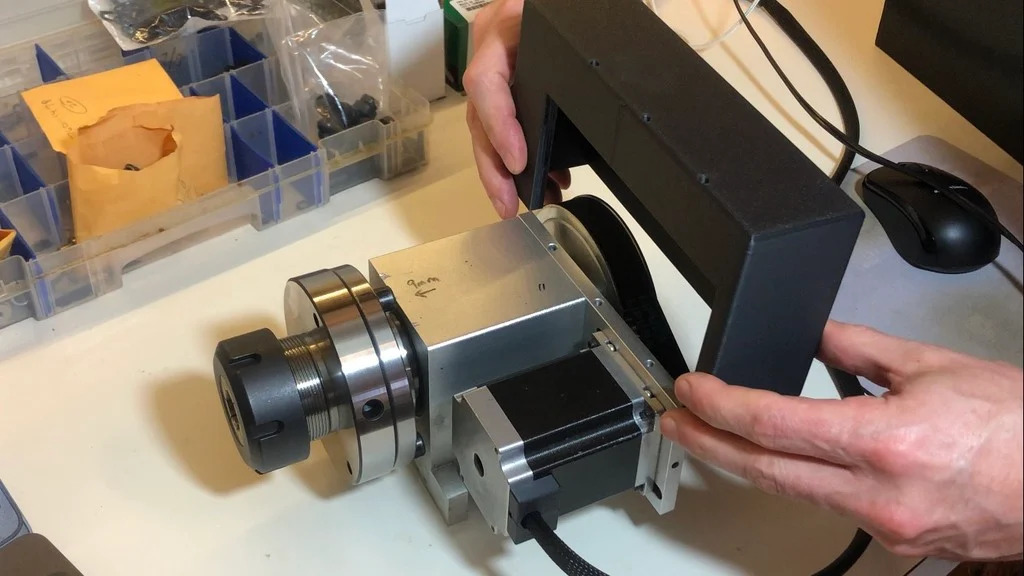
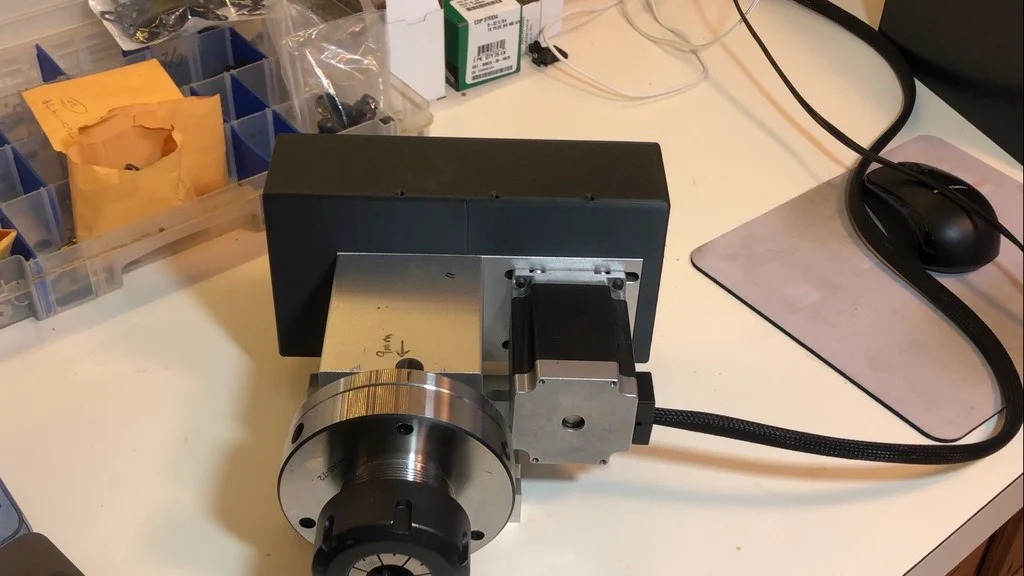
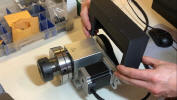
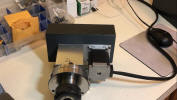
Also, annoyingly, this 4th axis leaves the pulleys and belts
unprotected.
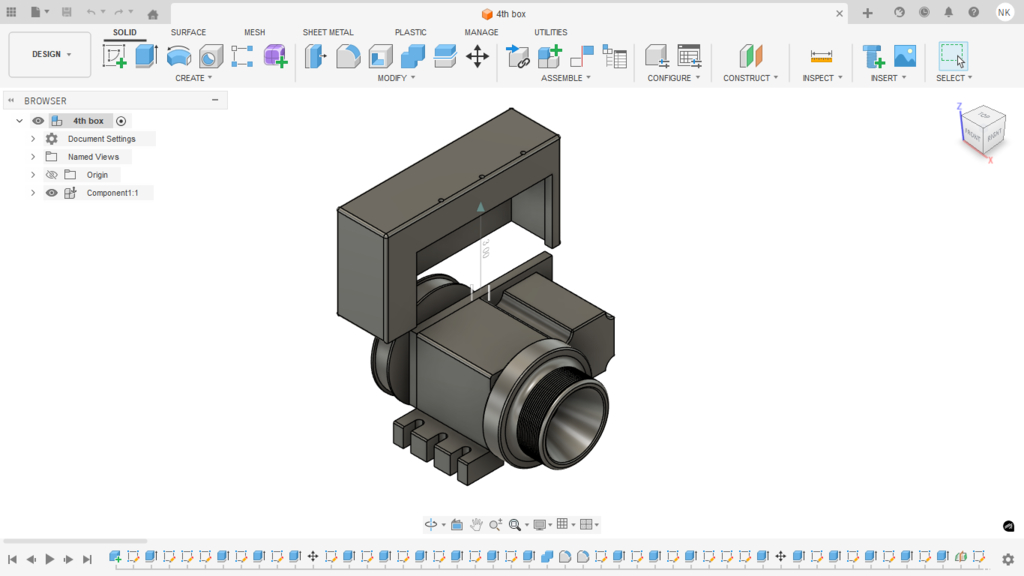
The following files are models of a decent
cover I made:

The following are a list of common questions,
and my responses from June 2026.
-
Is your 4th axis
plugin relatively easy to install?
-
Most plugins are
designed to be dropped into /home/operator/gcode/python, you reboot
PathPilot and they install themselves with little, or no, user
intervention.
-
Does the plugin need
to be reinstalled every time Tormach issues updates on their basic
PathPilot system?
-
They're all
designed to survive updates. The ones that alter OEM files (as the 4th
axis plugin does), reads at each PathPilot boot to see if the OEM file
contains the alteration. If it does, it proceeds to load. If not, it
rewrites the files and prompts for another reboot to finalize
installation.
-
What version of
PathPilot are you using with your 4th axis?
-
I use 2.9.1. I
don't like the newer versions, the latest being 2.14.3. That's a
personal decision. There was an overhaul around 2.10 that changes the UI
and some of the code.
-
I will have to
recheck compatibility on 2.14.3. If anything needs edited, it'll be
quick.
-
Correct me if I'm
wrong, but if I understand your approach correctly, one of the main
reasons for your plugin was to support 6:1 ratio of the table / stepper
motor package you got from Amazon.
-
That's really the
only reason.
-
What was your reason
for using the table / stepper motor Amazon package approach versus adding
a stepper motor to a rotary table?
-
Don't have a
manual rotary, so it was going to be an expense either way. I'm busy
enough to not have to design brackets, belts, etc, to outfit a motorized
rotary.
-
I use Fusion with no
additional as my CAM software (the paid version but no extensions). I
have never used it for any 4th axis modeling or Gcode posting. Anything
that needs to adjusted or modified when using your 4th axis approach?
-
What needs
"adjusted or modified" is what the plugin does. It really only changes
two or three lines of code, all things that you can easily hand edit if
you know where to look. It more recently adds a couple of flourishes in
that it provides the "Amazon Fourth Axis" in the drop down, but that's
completely unnecessary to get it to work. It's just more of a
user-friendly feature than hand editing code.
-
G-code, of any
fashion, will tell the machine to rotate an A axis 45° or 180° or 360°,
not 'given an OD of 5.13" rotate this axis so that 3.22" of perimeter
rotates to the new position.' Meaning that rotating 3.22" of arc length
requires different angles of rotation given the outer diameter (rotating
3" of skateboard wheel versus 3" of bicycle wheel is rotating vastly
different angles for that same 3").
-
G-code _could_ do
both, but one is obviously better than the other. Same as you could
program a 2" circular pocket in XY using a 1/4" offset on a 1/2" endmill
to get off center-line machining, _or_ tell CAM that you have a 1/2" end
mill and let it do the math.
-
The point is, all
the machine needs to know is that it needs to rotate the A 45°. For that
to be accurate, the steps-per-rotation needs to be accurate. The stepper
driver has settings for that, and there are settings in the software
too.
-
Indeed, when you
buy Tormach products, you have to set the DIP switches on the driver
according to which 4th axis you bought, because they all use
different (but in-brand-compatible) reductions.
-
The problem is,
none of them are correct for a 6:1 reduction. The Amazon product just so
happens to use pulleys that reduce in that ratio (I'm guessing simple
off-the-shelf pulleys that are divisible by 360). I'm not sure what the
reductions are for MicroARC, etc, are.
-
In hindsight is
there anything you would do differently or change in your 4th axis
project?
-
Not really. I'm
pretty happy with it, though I don't use it much, which I knew was going
to be the case. I like having it on standby for when needed, but I don't
need fourth axis capabilities often for my work. But I wanted it and I
didn't want to spend $3000. The Amazon product is pretty nice, esp for
the cost. It's not a harmonic drive like MicroARC, which advertises
nearly backlash free operation, but you can adjust out backlash on any
product either physically or through software. It's never been an issue.
-
And, once it
arrived and I saw what all it uses, the entire thing is replaceable
piecemeal. So if the motor on the 4th dies, it's a five
minute replacement. The belt is standard, available anywhere, etc etc.
-
Also, and while
I've never used a MicroARC, I don't believe they're gear-reduced. I
understand the MicroARC is way faster than the monster motorized
rotaries they also sell, but it's still slow-ish. This thing can
actually spin pretty fast. I have threaded with it, with a lathe tool.
It's not as good as a CNC lathe, but it will cut a cleanish thread, that
you can then chase with a die.
-
The exposed back
is a significant flaw with no real clean way to build a cover. I
impressed myself with the cover I modeled in Fusion and it fit on the
first try. The wires off the stepper are also unprotected without any
sort of grommet, which I've tried to mitigate with another 3D printed
model.
-
You do have to
build both male and female terminals if you want quick connects from the
stepper driver to the stepper. I went semi-professional with soldered
and heatshrinked terminals off matching quick connects, which then hang
protected off the front of my cabinet. Plugging in the 4th is then a 5
second job and it just works.
-
Everything I've
mentioned above is erased if you buy their finished product, as is the
case in anything. You spend $3000ish for a finished product that
requires no tinkering and it just works (and is, probably, a
significantly nicer product, but.) Or you spend $400 or less and tinker.
You also learn some good fundamentals in the process, but not everyone
wants, or needs, to do that. I'm a pilot and a plane owner and I am
daily baffled by people that build their planes from scratch. Those that
would rather build, than fly. Machining and CNC is the same way. You can
tinker, or you can machine.
-
Tormachs are
tinker-ish by name and nature, and literally by license. Everything is
open source and exposed, allowing those of us that want to play, and
adjust, and push to the limit to do so. You can't do stuff like that on
a HAAS where every little thing is locked down. This essay wouldn't have
been written had we been HAAS owners, because the ability to do any of
it would've been locked away from the outset. And we'd both be
considering $10,000 4th axes instead. So.
-
At worst, you do
all the work above and find you like it enough to spend more money on
the branded product. You can then sell the custom fourth on eBay and
recoup all your money, if not turn a profit. And, frankly, having just
typed the sentence above I may try that very thing. I could buy the 4th
off Amazon, whatever driver I find, print a belt cover and throw it on
eBay with my code for $1000 and probably consider it a fair value, and
still way under the cost of a microarc.
|